
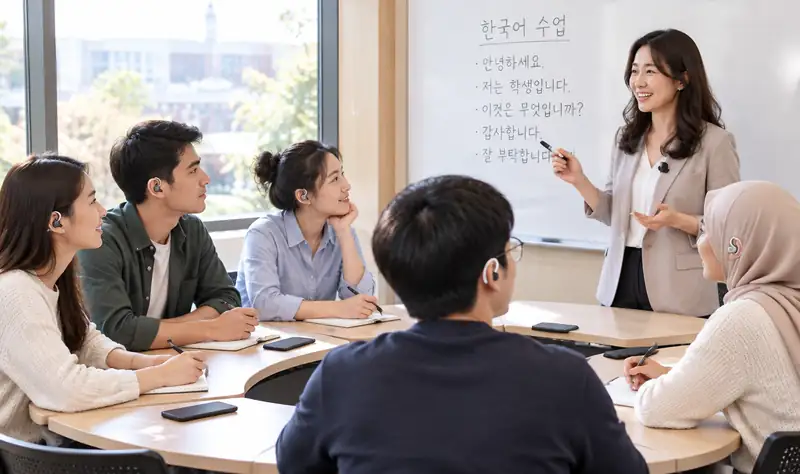
The professor lectures in Korean as usual. The school changes nothing; I listen in my language through my phone and RayTok earbuds, and after class the lecture notes are on my phone.
Students today
There are now more than 200,000 international students in Korea. Passing a Korean proficiency test is one thing; a lecture full of technical terms is another.
| Current method | Limitation |
|---|---|
| Recording the lecture and translating it later | You still don't follow it in class, and revision takes twice as long |
| Running a translation app and staring at the phone | Looking at the phone means missing the professor and the board, and nothing is kept |
| Asking the student next to you | You can't ask every time, and your friend misses the lecture too |
| Asking the university for a captioning system | The university has to adopt it, and even then it may not cover your room or your course |
How to use it
Open RayTok on my phone and pick my language. Phone on the desk; a seat near the front, where the professor is easy to hear, is best. I ask the professor for nothing.
I hear my own language through open-ear RayTok earbuds, with my eyes on the professor and the board. Anything I miss, I check in the subtitles on my phone.
The lecture in the original and in translation stays on my phone. I reread what I missed and print it out as notes to revise from. Planned for the November 2026 release

Main features
My phone listens to the professor and turns it into my language. Even a lecture thick with technical terms comes through in my own words, and the on-screen subtitles let me check again.
When class ends, the original and the translation remain as notes, and a report sorted by date and course can be printed. For revising before exams. Planned for the November 2026 release
Hand over one earbud and talk face to face at a club, at a part-time job or with a friend. The other person installs nothing.
In a large hall or a back-row seat, pair a small wireless microphone with my phone and place it up front. Ask the professor first and set it near the lectern.
Download the language pack ahead of time and it runs without mobile data. A few languages need internet. No audio is stored — only the text remains.
Package
A personal package for one student. No school contract needed.
| Item | Details |
|---|---|
| RayTok app · student plan | Lecture interpretation · subtitles · notes · reports (one person, any languages) |
| OWS interpreter earbuds, 1 set | Open-ear design · charging case included · for conversations outside class too |
| Small wireless mic | Optional · for large lecture halls |
| Pricing | Announced at launch · sign up and we tell you first |
Pricing will be posted here once confirmed. Email us if you would like to know sooner.
Frequently asked questions
The app and earbuds are mine, so the university installs nothing. Since it does keep the lecture as text, follow your institution's rules on recording and note-taking, and tell the professor if you place a microphone on the lectern.
The clearer the professor's voice is from your seat, the better. In a large hall or a back row, we suggest placing a small wireless microphone up front.
For most languages, downloading the language pack in advance means no internet is needed. A few languages do need it.
On my phone only. No audio is stored — just the text. Planned for the November 2026 release.
That's fine — just pick the language you want to hear.
Email us your name, school and language. We send one launch notice only.
Email: raytok.dany@gmail.com